Getting Started with Morello and Yocto
- Pawel Zalewski
- Getting started guides
- December 29, 2025
The ‘Morello’ project was an experimental research architecture developed by ARM that implemented the CHERI instruction extensions. The hardware was based on Neoverse N1 core, which itself was based on the Armv8.2-A architecture specification, but it was constrained to ‘AArch64’ execution only. The memory tagging functionality (which is required to accommodate the capabilities) was managed by a custom memory controller and interconnect: tags were stored in the DDR ECC bit or in DRAM at the top of physical memory address space.
Despite ‘Morello’ itself not being commercialised, it is still probably one of the most easily accessible hardware platforms (at the time of writing this blogpost) that can run operating systems like Linux, CheriBSD or Sel4 that require a bit more capable hardware.
We have forked meta-morello from Morello gitlab into our github here, with the goal of updating it where needed and provide a source of Yocto images for the platform. See our software map page for more details on where to download the images and how to contribute to the project.
The development on ARM’s side has concluded on the Morello gitlab but there is still some activity from external contributors that fix build errors.
The morello-release-1.9 stack breakdown
The current meta-morello layer is at the tag ‘morello-release-1.9’ - meaning that all of the stack is sourced from a matching tag or branch (where possible) from within the Morello gitlab project. Since there was no release-1.9 for the kernel, the ‘master’ branch is checked out at a fixed commit hash.
| Software | Version | Upstream version |
|---|---|---|
| Yocto | kirkstone LTS | Scarthgap LTS |
| Linux | 6.7 | 6.18.1 LTS |
| LLVM | 15 | 21.1.8 |
| musl C | 1.2.4 | 1.2.5 |
For brevity we shall ignore the firmware stack. As can be seen, the meta-morello layer is dated and is based on ‘Yocto kikrstone LTS’, we might rebase it on top of ‘scarthgap LTS’ in the future if there is such a requirement. There is a more recent ‘CHERIfied’ linux kernel developed by Codasip where the Morello Linux was used as a starting point and is currently rebased on top of 6.17 upstream Linux, but we have not tried to build it for ‘Morello’. The layer is not actively developed and was stale for a year, so some features are broken (eg. ‘purecap’ CMAKE builds require manual flag and parameter handling due to the way the compiler class was written) - it is not production quality.
The ‘Yocto’ layer supports two machine targets, the actual morello-soc (the actual hardware) and morello-fvp (the fvp simulator). The image is based on ‘core-image-minimal’ and for historical (or rather funding) reasons has two sysroots: one governed by glibc (at /usr prefix) and the other by the ‘CHERI’ enabled musl ’libc’ (for some reason placed at /usr/lib/aarch64-linux-musl_purecap/usr/lib/). This is possible because the Morello kernel can support both cheri and non-cheri userspace via the repurposed ‘CONFIG_COMPAT’ define and can switch between ‘A64/C64’ ISA. This is done by analyzing the LSB of an address - which also allows to convert from user space capabilities to normal pointers that are still used across the kernel as there is no ‘CHERI’ support within the Morello kernel itself - you can learn more here.
Building meta-morello
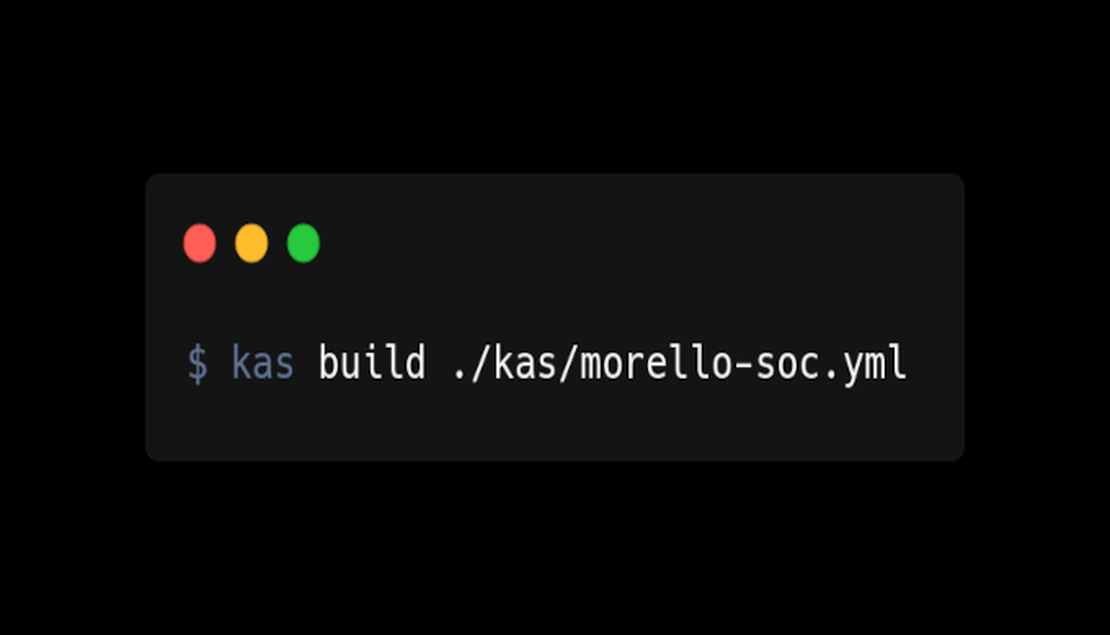
To build the ‘Yocto’ layer simply run the following commands (this will install kas - what a great tool it is indeed!):
pip3 install kas
git clone -b morello-release-1.9 https://github.com/The-Capable-Hub/meta-morello meta-morello
cd meta-morello
kas build ./kas/morello-soc.yml
Please note that this is a release branch and therefore in theory the HEAD commit should always work as release branches are never broken…as we all know from experience. Then the artefacts can be copied to the sd-card (firmware) and usb drive (wic image):
cd build/tmp-soc/deploy/images/morello-soc
$ dd if=morello-linux-image-c64-glibc.img of=/dev/disk/usb conv=fsync bs=8M status=progress
$ dd if=board-firmware-sd-image.img of=/dev/disk/sd conv=fsync bs=8M status=progress
The image contains ‘CHERI’ aware ‘GDB’ and the ‘LLVM Morello’ toolchain itself, so debugging of ‘purecap’ applications is possible, there is also a simple example recipe for adding custom applications.
Running the FVP simulator
First we need to build the image for the FVP target:
kas build ./kas/morello-fvp.yml
Then we have to do a few things manually as described here
cd poky
. oe-init-build-env ../build
./../meta-arm/scripts/runfvp --console tmp-fvp/deploy/images/morello-fvp/usb-image-morello-fvp.fvpconf
Which after selecting the boot configuration in grub results in the following console login prompt:
[    0.394973] Run /sbin/init as init process
[    0.394973]   with arguments:
[    0.394973]     /sbin/init
[    0.394973]   with environment:
[    0.394973]     HOME=/
[    0.394973]     TERM=linux
[    0.394973]     BOOT_IMAGE=/Image
INIT: version 3.01 booting
Starting udev
[    0.417888] udevd[103]: starting version 3.2.10
[    0.419873] udevd[104]: starting eudev-3.2.10
[    0.466973] EXT4-fs (vda2): re-mounted d8104156-e40c-4919-92a6-09fdc0418b13 r/w. Quota mode: none.

Poky (Yocto Project Reference Distro) 4.0.32 morello-fvp /dev/ttyAMA0

morello-fvp login:
Building meta-morello-distro
The layer can be used together with meta-morello-distro that contains cherified ‘postgresql 9’. and ‘zabbix v5.0.46’ (and most of the required dependencies) for the ‘Morello Linux’, note that the code there is not production ready nor exstensively tested and also contains hacks to the ‘Morello Linux’ kernel itself that are against the original intent from ARM.
To build ‘meta-morello-distro’ run the following commands (this step automatically checks out the ‘meta-morello’ layer as well, as they both use kas):
pip3 install kas
git clone -b kirkstone https://github.com/The-Capable-Hub/meta-morello-distro meta-morello-distro
cd meta-morello-distro
kas build ./kas/debug-soc.yml
From here on the steps to flash the images on the ‘Morello’ hardware are the same as for the ‘meta-morello’ layer.
Conclusion and status quo
We have shown how to build the images using ‘Yocto’ for the experimental ‘Morello’ platform and how to run the ‘FVP’ simulator. There is a ‘Yocto’ layer for the ‘RISC-V RVY’ implementation on the ‘Codasip X730 ‘chip in the making - which should come soon - it will be interesting to take that on a spin. We believe that ‘Yocto’ is one of the best things that happened to embedded Linux in a while and that allows for easily-reproducible and therefore testable production-ready ‘Linux’ distributions (sic), given that the layers themsevles are production-quality of course.
The ‘Morello’ project is concluded and so one should not expect much development happening in that space apart from niche research, however we will host the ‘Yocto’ images as exhibits for the ones still interested - as these are not available from anywhere at the moment.