Getting started with CHERI Linux on RISC-V
- Michael Cobb
- Getting started guides
- December 23, 2025
In this post, we’ll walk through the steps required to build a CHERI-enabled Linux kernel for RISC-V and boot the said kernel using QEMU. Most of the effort to add support for CHERI targets is taking place within forks hosted by the CHERI Alliance. We’ll cover how to build the CHERI Alliance’s forks of LLVM, RISC-V OpenSBI firmware and Linux kernel, along with CHERI Alliance’s fork of QEMU which supports emulation of RISC-V CHERI architecture (the CHERI extensions to the RISC-V instruction set is formally known as RISC-V RVY architecture).
CHERI Linux is a continuation of existing efforts to support CHERI within the Linux kernel, with the soon-to-be deprecated Morello Linux project forming the basis of the unified community effort. Morello Linux targeted the Morello development platform - ARM’s prototype implementation of CHERI architecture based on ARM-v8. CHERI Linux aims to support not only Morello, but also extend support to include other CHERI architectures including RISC-V RVY. As such, many of the patches submitted to the Morello Linux project have been incorporated into CHERI Linux. Support for RISC-V is supported by Codasip, who are currently developing RISC-V CHERI hardware.
While the Morello Linux project provides only a “hybrid” kernel (where the in-kernel ABI remains unchanged, with only user pointers promoted to capabilities), the goal of CHERI Linux is to produce a fully “purecap” kernel, which uses capabilities in full throughout the entire kernel.
For reference, the steps outlined below were tested on Ubuntu 24.04. The table below shows each dependency we’ll be building, along with branch names and git hashes that should work together nicely for the purposes of demoing CHERI Linux:
| Repository | Branch Name | Commit Hash |
|---|---|---|
| LLVM (based on upstream LLVM 18.0.0, targeting CHERI ISA v9) | codasip-cheri-riscv-18 | 7ca5cdc |
| QEMU (based on upstream QEMU 6.2.0) | codasip-cheri-riscv_v3 | c38bb89 |
| OpenSBI Firmware (based on upstream OpenSBI 1.5) | toooba-fixes | 0880d38 |
| Linux Kernel (based on upstream Linux 6.16) | codasip-cheri-riscv | 6726573 |
It’s also worth noting that all of the steps outlined below can be automated using cheribuild.py, a helpful script that allows for easy building of a whole range of projects within the CHERI ecosystem, such as CheriBSD, CHERI LLVM and CHERI QEMU.
With cheribuild.py, we can build all dependencies and then boot the same minimal CHERI Linux system we’re creating here using the command:
$ ./cheribuild.py run-minimal-linux-riscv64-purecap --riscv-cheri-isa=experimental_std093 -d --reconfigure --clean
Building LLVM
In order to compile code targeting RISC-V CHERI, we first need to build a suitable LLVM compiler. LLVM can be built to support cross-compilation - where the compiler produces binaries that target an architecture other than the architecture of our host machine. We’ll use this version of LLVM to compile CHERI Linux and the OpenSBI firmware.
Install build dependencies
The dependencies required in order to build LLVM can be installed by running the command:
$ sudo apt install build-essential git python3 xz-utils cpio bc flex bison libelf-dev libxml2 cmake ninja-buildClone the LLVM repo
Clone the CHERI LLVM fork and checkout the correct commit:
$ git clone --recurse-submodules https://github.com/CHERI-Alliance/llvm-project.git
$ cd llvm-project
$ git checkout 7ca5cdc690a7c41d3c45c53971a766812e730136
Configure the build
First we will export the location where we will install our CHERI LLVM toolchain into to the environment:
$ export LLVM_CHERI_INSTALL_DIR="/usr/lib/llvm-cheri/"Then configure the build by running:
$ cmake \
    -S llvm \
    -B build \
    -G Ninja \
    -DCMAKE_BUILD_TYPE=Release \
    -DCMAKE_INSTALL_RPATH_USE_LINK_PATH=TRUE \
    -DLLVM_PARALLEL_LINK_JOBS=4 \
    -DLLVM_CCACHE_BUILD=FALSE \
    -DPYTHON_EXECUTABLE=/usr/bin/python3 \
    -DPython3_EXECUTABLE=/usr/bin/python3 \
    -DLLVM_INSTALL_BINUTILS_SYMLINKS=TRUE \
    -DLLVM_ENABLE_LIBXML2=FALSE \
    -DLLVM_ENABLE_ZLIB=FORCE_ON \
    -DLLVM_ENABLE_OCAMLDOC=FALSE \
    -DLLVM_ENABLE_BINDINGS=FALSE \
    -DLLVM_INCLUDE_EXAMPLES=FALSE \
    -DLLVM_INCLUDE_DOCS=FALSE \
    -DLLVM_INCLUDE_BENCHMARKS=FALSE \
    -DLLVM_INSTALL_UTILS=TRUE \
    -DCLANG_ENABLE_STATIC_ANALYZER=FALSE \
    -DCLANG_ENABLE_ARCMT=FALSE \
    -DLLVM_ENABLE_Z3_SOLVER=FALSE \
    -DLLVM_TOOL_LLVM_MCA_BUILD=FALSE \
    -DLLVM_TOOL_LLVM_EXEGESIS_BUILD=FALSE \
    -DLLVM_TOOL_LLVM_RC_BUILD=FALSE \
    -DLLVM_OPTIMIZED_TABLEGEN=FALSE \
    -DLLVM_USE_SPLIT_DWARF=TRUE \
    -DLLVM_ENABLE_ASSERTIONS=TRUE \
    '-DLLVM_LIT_ARGS=--max-time 3600 --timeout 300 -s -vv' \
    '-DLLVM_ENABLE_PROJECTS=llvm;clang;lld' \
    -DCMAKE_C_COMPILER=/usr/bin/cc \
    -DCMAKE_CXX_COMPILER=/usr/bin/c++ \
    -DCMAKE_ASM_COMPILER=/usr/bin/cc \
    -DCMAKE_LD=/usr/bin/ld \
    '-DLLVM_TARGETS_TO_BUILD=RISCV;host' \
    -DLLVM_DEFAULT_TARGET_TRIPLE="riscv64-unknown-elf" \
    -DCLANG_ROUND_TRIP_CC1_ARGS=FALSE \
    -DCMAKE_INSTALL_PREFIX='${LLVM_CHERI_INSTALL_DIR}'
Build and install LLVM
Build LLVM by running the command:
$ cmake --build build/ --target all -j$(nproc)NOTE: Compiling LLVM requires a machine with a large amount of RAM and will take several minutes.
Once built, LLVM can be installed under the path we specified in
LLVM_CHERI_INSTALL_DIRwith:$ sudo cmake --build build --target installYou should then be able to see that the LLVM toolchain has been installed under
${LLVM_CHERI_INSTALL_DIR}/bin.
Building QEMU
QEMU is an open-source machine emulator that supports a wide variety of different target hardware architectures. The fork of QEMU we will be building includes support for RISC-V CHERI with additional riscv32cheri-softmmu and riscv64cheri-softmmu targets.
Install build dependencies
$ sudo apt install pkg-config libglib2.0-dev libpixman-1-dev python3-setuptoolsClone the repo
$ git clone --recurse-submodules https://github.com/CHERI-Alliance/qemu.git
$ cd qemu
$ git checkout c38bb89689fea84c48ed30c065fb49bb5cb6f951
Configure the build
As this fork of QEMU emulates only a basic RISC-V CHERI system, we must disable some of QEMU’s features (such as audio, OpenGL, VNC and TPM).
We also need to specify the emulation targets we wish to build (
riscv32cheri-softmmuandriscv64cheri-softmmu).First, we’ll export the location where we want to install QEMU to into the environment - in this case,
/opt/qemu:$ export QEMU_CHERI_INSTALL_DIR="/opt/qemu"Then, to configure QEMU run:
$ mkdir build
$ cd build
$ ../configure \
    --prefix="${QEMU_CHERI_INSTALL_DIR}" \
    --target-list="riscv32cheri-softmmu riscv64cheri-softmmu" \
    --disable-sdl \
    --disable-gtk \
    --disable-opengl \
    --audio-drv-list="" \
    --disable-brlapi \
    --disable-libiscsi \
    --disable-libnfs \
    --disable-rbd \
    --disable-snappy \
    --disable-vnc \
    --disable-vnc-jpeg \
    --disable-vnc-sasl \
    --disable-l2tpv3 \
    --disable-oss \
    --disable-alsa \
    --disable-tpm \
    --disable-werror \
    --meson=git
Build and install
QEMU can then be built by running the following command:
$ ninja -j$(nproc)Once the build is complete, install QEMU with:
$ sudo ninja installYou should then be able to find the QEMU binaries
qemu-system-riscv32cheriandqemu-system-riscv64cheriunder${QEMU_CHERI_INSTALL_DIR}/bin/:$ ls ${QEMU_CHERI_INSTALL_DIR}/bin/qemu-system* /opt/qemu/bin/qemu-system-riscv32cheri /opt/qemu/bin/qemu-system-riscv64cheri
Building RISC-V OpenSBI Firmware
We also need to build a suitable version of the OpenSBI firmware that supports RISC-V CHERI. OpenSBI is an open-source implementation of the RISC-V Supervisor Binary Interface (SBI). The SBI firmware provides the interface between the processor’s low-level functionality (e.g. console access functions, inter-processor interrupts) and the operating system running on top.
Clone the OpenSBI firmware and checkout the correct git hash:
$ git clone --recurse-submodules https://github.com/qwattash/cheri-alliance-opensbi.git
$ cd cheri-alliance-opensbi
$ git checkout 0880d384dce52e2dc7b8fdd0c869774fcb9b30f7
Build and install
First, we’ll export the location where we wish to install OpenSBI into the environment:
$ export OPENSBI_INSTALL_DIR="/opt/opensbi-riscv-purecap/`NOTE: We explicitly define the paths to the compiler toolchain binaries using
${LLVM_CHERI_INSTALL_DIR}. Make sure this variable points to the location where CHERI LLVM was installed.Next we need to build OpenSBI. This can be done with the following command:
$ mkdir build
$ make \
    LLVM=1 \
    CC=clang \
    O=build \
    I="${OPENSBI_INSTALL_DIR}" \
    'CC=${LLVM_CHERI_INSTALL_DIR}/bin/clang -target riscv64-unknown-elf -B${LLVM_CHERI_INSTALL_DIR}/bin -march=rv64imafdczcherihybrid_zcherilevels -mabi=l64pc128d -mno-relax -Xclang -target-feature -Xclang +cheri-bounded-vararg -Xclang -target-feature -Xclang +cheri-bounded-memarg-caller -Xclang -target-feature -Xclang +cheri-bounded-memarg-callee -mcmodel=medany -Qunused-arguments' \
    'CXX=${LLVM_CHERI_INSTALL_DIR}/bin/clang++ -target riscv64-unknown-elf -B${LLVM_CHERI_INSTALL_DIR}/bin -march=rv64imafdczcherihybrid_zcherilevels -mabi=l64pc128d -mno-relax -Xclang -target-feature -Xclang +cheri-bounded-vararg -Xclang -target-feature -Xclang +cheri-bounded-memarg-caller -Xclang -target-feature -Xclang +cheri-bounded-memarg-callee -mcmodel=medany -Qunused-arguments' \
    'CPP=${LLVM_CHERI_INSTALL_DIR}/bin/clang-cpp -target riscv64-unknown-elf -B${LLVM_CHERI_INSTALL_DIR}/bin -march=rv64imafdczcherihybrid_zcherilevels -mabi=l64pc128d -mno-relax -Xclang -target-feature -Xclang +cheri-bounded-vararg -Xclang -target-feature -Xclang +cheri-bounded-memarg-caller -Xclang -target-feature -Xclang +cheri-bounded-memarg-callee -mcmodel=medany -Qunused-arguments' \
    LD=${LLVM_CHERI_INSTALL_DIR}/bin/ld.lld \
    AR=${LLVM_CHERI_INSTALL_DIR}/bin/llvm-ar \
    OBJCOPY=${LLVM_CHERI_INSTALL_DIR}/bin/llvm-objcopy \
    FW_PIC=n \
    FW_OPTIONS=0x2 \
    PLATFORM_RISCV_ABI=l64pc128 \
    PLATFORM_RISCV_ISA=rv64imaczcherihybrid_zcherilevels \
    PLATFORM_RISCV_XLEN=64 \
    FW_TEXT_START=0x80000000 \
    PLATFORM=generic \
    -j$(nproc)
Then install OpenSBI into
${OPENSBI_INSTALL_DIR}with:$ sudo make O=build I="${OPENSBI_INSTALL_DIR}" PLATFORM=generic installYou should then find that the firmware
*.binfiles for the “generic” platform have been installed into${OPENSBI_INSTALL_DIR}/share/opensbi/lp64/generic/firmware/:$ ls ${OPENSBI_INSTALL_DIR}/share/opensbi/lp64/generic/firmware/*.bin fw_dynamic.bin fw_jump.bin fw_payload.bin
Building CHERI Linux
Now we are ready to build the CHERI Linux kernel, which is the last step before we will be ready to boot into our CHERI Linux kernel. This process is relatively straightforward providing that the correct LLVM toolchain is present in the shell’s PATH environment variable.
Clone the repo
$ git clone https://github.com/CHERI-Alliance/linux.git
$ cd linux
$ git checkout 67265736a606b10b7edc7766ce82bd3b80783e65
Configure the build
First, we’ll need to make sure CHERI LLVM is available in our PATH so that the correct compiler is invoked during the build:
$ export PATH="${LLVM_CHERI_INSTALL_DIR}/bin:$PATH"Create a build folder:
$ mkdir buildConfigure for the
qemu_riscv64cheripc_defconfigtarget:$ make O=build LLVM=1 ARCH=riscv HOSTCC=/usr/bin/cc HOSTCXX=/usr/bin/c++ qemu_riscv64cheripc_defconfigBuild
Then, build the kernel with:
$ make O=build LLVM=1 ARCH=riscv HOSTCC=/usr/bin/cc HOSTCXX=/usr/bin/c++ -j$(nproc) allOnce Linux has finished building, you should be able to find the kernel
Imagefile underbuild/arch/riscv/boot/:$ ls build/arch/riscv/boot/Image Image
Booting CHERI Linux in QEMU
Now we’re finally ready to boot our CHERI-enabled Linux kernel!
To boot the kernel inside QEMU, we’ll need to pass the path to the CHERI OpenSBI firmware, fw_jump.bin, and our CHERI Linux kernel, Image, to QEMU.
Run qemu-system-riscv64cheri with the following arguments:
$ ${QEMU_CHERI_INSTALL_DIR}/bin/qemu-system-riscv64cheri \
    -M virt \
    -cpu codasip-a730,cheri_pte=on,cheri_levels=2 \
    -m 2048 \
    -nographic \
    -bios ${OPENSBI_INSTALL_DIR}/share/opensbi/lp64/generic/firmware/fw_jump.bin \
    -kernel build/arch/riscv/boot/Image \
    -device virtio-net-device,netdev=net0 \
    -netdev user,id=net0 \
    -device virtio-rng-pci \
    -append init=/init \
    -initrd /dev/null
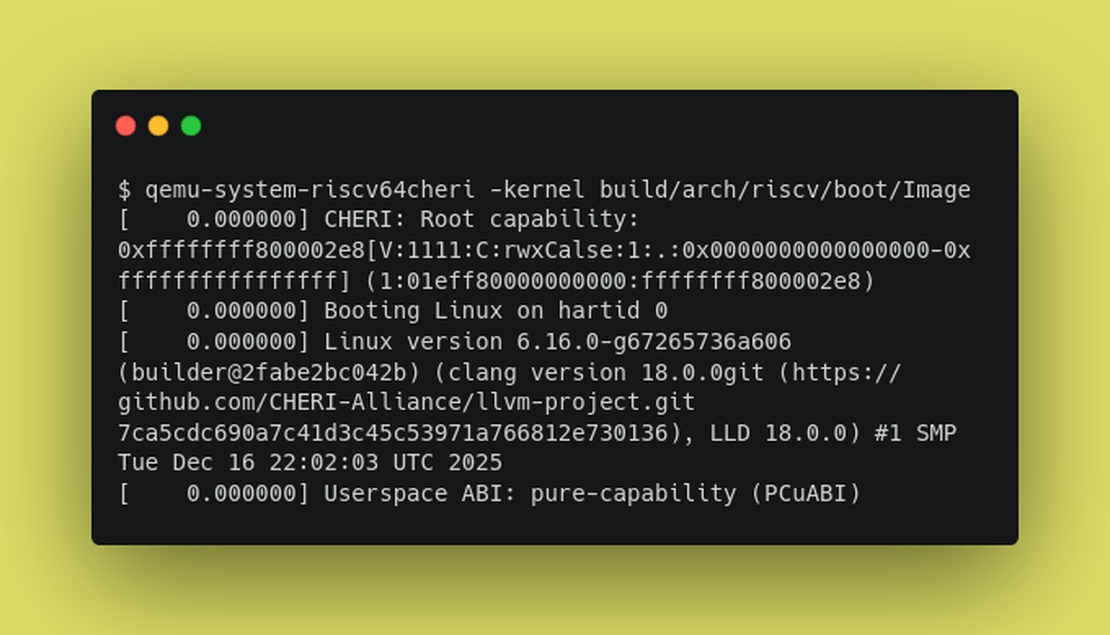
After the OpenSBI firmware hands off to the kernel, we should see Linux starting to boot:
[    0.000000] CHERI: Root capability: 0xffffffff800002e8[V:1111:C:rwxCalse:1:.:0x0000000000000000-0xffffffffffffffff] (1:01eff80000000000:ffffffff800002e8)
[    0.000000] Booting Linux on hartid 0
[    0.000000] Linux version 6.16.0-g67265736a606 (builder@2fabe2bc042b) (clang version 18.0.0git (https://github.com/CHERI-Alliance/llvm-project.git 7ca5cdc690a7c41d3c45c53971a766812e730136), LLD 18.0.0) #1 SMP Tue Dec 16 22:02:03 UTC 2025
[    0.000000] Userspace ABI: pure-capability (PCuABI)
As you can see, we’re booting Linux kernel 6.16.0, with pure-capability userspace ABI support.
As we did not provide QEMU with a root filesystem, the kernel will panic when trying to mount the root fs:
[   11.131098] Kernel panic - not syncing: VFS: Unable to mount root fs on unknown-block(0,0)
[   11.132000] CPU: 0 UID: 0 PID: 1 Comm: swapper/0 Not tainted 6.16.0-g67265736a606 #1 NONE
[   11.132672] Hardware name: riscv-virtio,qemu (DT)
[   11.133229] Call Trace:
[   11.133740] [<ffffffff8000da52>] show_stack+0x42/0x60
[   11.134683] [<ffffffff80007630>] dump_stack_lvl+0x40/0xb0
[   11.135181] [<ffffffff800076b8>] dump_stack+0x18/0x20
[   11.135659] [<ffffffff80001116>] panic+0x106/0x2e0
[   11.136141] [<ffffffff81202564>] mount_root_generic+0x374/0x3f0
[   11.136640] [<ffffffff81202ac4>] mount_block_root+0x64/0x80
[   11.137133] [<ffffffff81202942>] mount_root+0x82/0xa0
[   11.137594] [<ffffffff81202b80>] prepare_namespace+0xa0/0x100
[   11.138083] [<ffffffff81201a04>] kernel_init_freeable+0xe4/0x110
[   11.138585] [<ffffffff8107c67c>] kernel_init+0x2c/0x200
[   11.139071] [<ffffffff8000a788>] ret_from_fork_kernel+0x18/0x90
[   11.139578] [<ffffffff81088238>] ret_from_fork_kernel_asm+0x20/0x24
[   11.140842] ---[ end Kernel panic - not syncing: VFS: Unable to mount root fs on unknown-block(0,0) ]---
Unfortunately, this is as far as we can get with without a root filesystem that includes a suitable CHERI purecap userspace.
What we are missing here is a suitable C standard library that is compatible with CHERI Linux. A suitable libc is essential as it defines the ABI between our userspace applications and the kernel, and will need to properly handle passing capabilities (i.e. pointers) between the kernel and userspace applications.
As of the time of writing, Codasip have just released publicly their CHERI fork of Musl libc. With this, it should now be possible to create a fully working system with, for example, BusyBox. There are already a lot of userspace applications that are compatible with CHERI and these applications are already working under Morello Linux and CheriBSD. As we now have a suitable libc available, creating a root filesystem with a purecap userspace is now possible.
There’s also a PR on Github issued against cheribuild, which adds support for the newly released Musl libc. Additionally, a CHERI busybox port is also available. With these components, it is now possible to build a full CHERI userspace, and we expect to see this added to the cheribuild CHERI Linux target soon.
Improving the Status Quo
Moving beyond a kernel-only demonstration to produce a fully bootable system will first require the community to clearly identify and document the set of components that are known to work together. This includes establishing which versions of the LLVM toolchain, CHERI Linux kernel, and Codasip’s Musl libc port are compatible with each other. Additionally, it will also be important to identify the versions of userspace applications, such as BusyBox, that can be built and run on this combination. One approach to this may take the form of sharing common branch or tag names across the kernel, libc, and userspace repositories. Alternatively, an “SDK” model could be adopted. The SDK will define the core components (such as the expected compiler and libc version), with other projects aiming to produce releases that conform to a specific SDK version. This would provide a stable target for software developers and platform vendors. Such an SDK release could also be made available as a Docker container, which would further help developers get up and running with a suitable development environment.
Building on this, the creation of a CHERI Linux Yocto layer, much like the existing meta-morello Yocto layer for Morello, would make it easy for people to build and test a working CHERI Linux system, which is key to lowering the barrier to entry for new contributors. Work on this is currently in progress.
The CHERI Alliance have also outlined areas of focus around CHERI Linux and userspace in their roadmap.
Future work will include providing support for additional C standard libraries like glibc. This would further improve support for userspace software and also help validate CHERI Linux’s ABI and userspace interfaces. Initial work to port glibc to CHERI was started on Morello. Support for compartmentalisation can also further improve security within a CHERI Linux system.